.png)
Renaming Participants
How do I rename an attendee/myself?
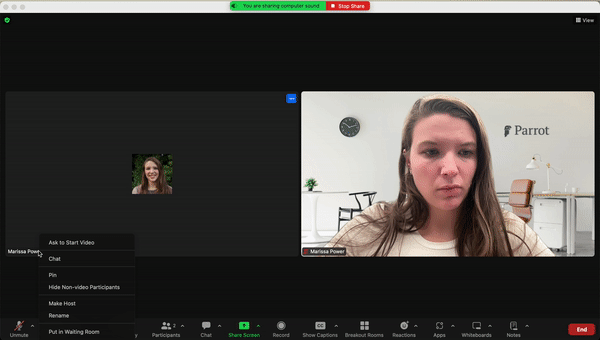
As attendants join the zoom call, make sure all the participants' names are correct. If their names are not correct, follow the instructions below and rename them to match the notice.
- Step 1 Click the three dots located at the upper right corner of the participants screen.
- Step 2 Click Rename if you need to update to display the participants First and Last names.